
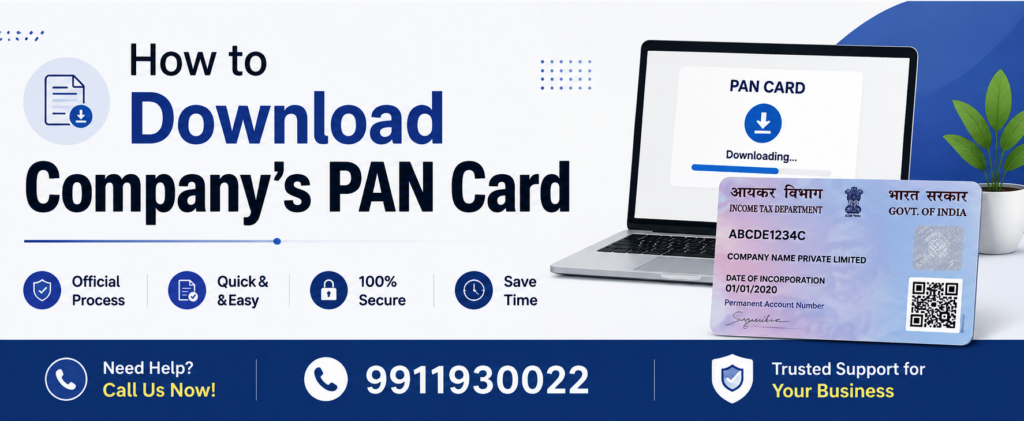
A Permanent Account Number (PAN) is an important identification number for every company registered in India. It is commonly required for opening a corporate bank account, filing income tax returns, completing financial transactions, applying for loans, and handling various business compliance requirements.
If your company has already received its PAN but you have misplaced the PAN card or need a digital copy, you can download the company’s PAN card or obtain an e-PAN through the official PAN service providers.
In this guide, we explain how to download a company’s PAN card, what information you need, and what to do if you cannot find your company’s PAN details.
What Is a Company PAN Card?
A company PAN card is a PAN issued in the name of the company by the Income Tax Department of India. It contains the company’s unique 10-character alphanumeric PAN number.
The PAN generally follows this format:
ABCDE1234F
For a company, the fourth character of the PAN is generally “C”, which represents a company.
A company PAN is different from the PAN of its directors or shareholders. The company has its own separate PAN, which is used for the company’s financial and tax-related activities.
Why Does a Company Need a PAN Card?
A company PAN is required for several business and compliance purposes, including:
- Filing the company’s income tax return
- Opening a current account in the company’s name
- Conducting certain high-value financial transactions
- Applying for business loans and credit facilities
- Completing tax-related registrations and processes
- Receiving payments in the company’s name
- Maintaining proper financial records
- Completing various corporate and banking formalities
Therefore, it is important for a company to keep a copy of its PAN card safely.
Can You Download a Company’s PAN Card Online?
Yes, in many cases, you can obtain a digital copy of a company’s PAN through the official PAN service provider used for the application or through the applicable e-PAN download facility.
The exact process depends on how the PAN was originally applied for and whether the company has access to the registered email address or other required details.
If you only need to know the company’s PAN number, you may also be able to verify or retrieve PAN-related information through applicable official tax services.
How to Download Company PAN Card Online?
Follow these general steps to obtain your company’s PAN card or e-PAN online.
Step 1: Keep Your Company PAN Details Ready
Before starting the process, keep the following information available, if applicable:
- Company name
- Company PAN number
- PAN application or acknowledgement number
- Date of incorporation
- Registered email address
- Registered mobile number
- Other details requested during verification
Having these details ready can make the process easier.
Step 2: Visit the Official PAN Service Provider
Go to the official website of the PAN service provider through which the company’s PAN application was processed.
Depending on the original application and available services, you may be able to request a copy of the PAN card or download an e-PAN.
Always use the official website and avoid entering your company’s sensitive information on unknown third-party websites.
Step 3: Select the Appropriate PAN Service
Look for the relevant option related to:
- Download e-PAN
- Get e-PAN
- Reprint PAN Card
- PAN Correction
- PAN Services
The exact option available may depend on your company’s PAN application history and the service provider.
Step 4: Enter the Required Company Details
Enter the information requested on the portal. This may include:
- PAN number
- Company name
- Date of incorporation
- Email address
- Mobile number
- Application or acknowledgement number
Make sure the information matches the details associated with the company’s PAN records.
Step 5: Complete OTP or Verification
If online verification is required, an OTP may be sent to the registered mobile number or email address.
Enter the OTP and complete the verification process.
If you no longer have access to the registered email or mobile number, you may need to use another available PAN service, such as requesting a PAN reprint or updating the relevant details.
Step 6: Download the e-PAN
After successful verification, you may receive an option to download the company’s e-PAN.
Download the PDF file and save it securely.
You can also keep a backup copy in your company’s secure digital records for future use.
How to Download Company PAN Card Without PAN Number?
If you do not remember your company’s PAN number, downloading the PAN card may require additional steps.
You can first try to retrieve or verify the PAN using the company’s available tax records and official services.
Check the following documents and records:
- Previous income tax returns
- Income tax notices
- Company bank account records
- Accounting records
- Tax registration documents
- Loan or financial documents
- Previous PAN card photocopies
- Documents maintained by your company’s accountant or CA
If you find the company’s PAN number, you can then use the appropriate official PAN service to obtain an e-PAN or request a reprint.
How to Download Company PAN Card Using PAN Number?
If you already know the company’s PAN number, the process is generally easier. You can use the PAN number along with the required company details to access the relevant PAN service.
- Visit the official PAN service portal.
- Select the applicable e-PAN or PAN reprint service.
- Enter the company’s PAN number.
- Provide the requested company details.
- Complete OTP or other verification.
- Pay the applicable fee, if required.
- Download the e-PAN or complete the reprint request.
The exact process and charges may vary depending on the service selected.
What If the Company Has Lost Its Original PAN Card?
If the original PAN card has been lost, there is generally no need to apply for a new PAN.
A company should have only one PAN. Applying for another PAN for the same company can lead to compliance issues.
Instead, the company can request a reprint or replacement PAN card using the existing PAN number.
The company may also be able to obtain an e-PAN, depending on eligibility and available services.
How to Get a Duplicate Company PAN Card?
A company that has lost or damaged its PAN card can generally request a reprint of the existing PAN card.
- Visit the applicable official PAN service portal.
- Select the PAN reprint or correction-related service.
- Enter the company’s existing PAN details.
- Provide the required information.
- Complete identity and contact verification.
- Pay the applicable reprint charges.
- Receive the physical PAN card at the registered address, where applicable.
A reprint request is different from applying for a new PAN. If the company already has a PAN, do not apply for another PAN.
What Documents May Be Required?
The exact documents required depend on the service and circumstances. In some cases, the company’s existing PAN details may be sufficient for an online e-PAN or reprint request.
For certain applications or corrections, documents such as the following may be requested:
- Certificate of Incorporation
- Company registration details
- Proof of registered office address
- Identity or authorization documents of the authorized signatory
- Existing PAN details
- Board resolution or authorization, where applicable
Always check the latest requirements on the official PAN service portal before submitting an application.
Common Problems While Downloading Company PAN Card
You may face some common issues when trying to download or obtain a company PAN card. Here are some common problems and their possible causes.
Wrong PAN Details
Entering incorrect PAN details or company information can cause verification failure.
Registered Email or Mobile Number Not Accessible
If the registered contact details are no longer available, OTP verification may not work.
PAN Details Do Not Match
Differences between the information entered and the PAN database records may prevent the request from being completed.
PAN Card Is Not Available for Immediate Download
In some cases, you may need to request a reprint instead of downloading an e-PAN.
Payment or Technical Issues
Temporary technical problems or unsuccessful payment transactions can also affect the process.
If the issue continues, check the official support options available through the relevant PAN service provider.
What Is the Difference Between e-PAN and Physical PAN Card?
An e-PAN is a digital version of the PAN document that can be downloaded electronically, while a physical PAN card is a printed card delivered to the registered address.
The e-PAN is useful when you need a quick digital copy for documentation or online processes.
A physical PAN card may be preferred when an organization specifically requests a physical copy.
The appropriate option depends on your company’s requirement.
Important Tips for Company PAN Card
Keep the following points in mind:
- Do not apply for a new PAN if your company already has one.
- Keep the company’s PAN number safely recorded.
- Save a digital copy of the PAN card in secure company records.
- Keep access to the registered email and mobile number updated.
- Verify the company’s legal name and other PAN details.
- Use only official PAN service portals for sensitive information.
- Inform your CA or authorized financial team if the PAN card is lost.
Frequently Asked Questions About Downloading Company PAN Card
1. How can I download my company’s PAN card?
2. Can I download a company PAN card using the PAN number?
3. Can I download a company PAN card without a PAN number?
4. What should I do if I lose my company’s PAN card?
5. Can a company have two PAN cards?
6. Is the e-PAN valid?
7. How long does it take to get a company PAN card reprint?
Conclusion
Downloading or obtaining a company’s PAN card is generally straightforward if you have the company’s PAN number and access to the required registered contact details. If the original PAN card is lost, the company should not apply for a fresh PAN. Instead, it can request a reprint or obtain an e-PAN through the applicable official PAN service.
Before starting the process, keep your company’s PAN details, incorporation information, and registered contact details ready. Always use official PAN service channels to protect your company’s confidential information.
If you need help with company PAN-related services, company registration, PAN correction, or other business compliance requirements, professional assistance can help you complete the process correctly and avoid unnecessary delays.
Need Help?
Get assistance with your Company PAN Card.
Need help with downloading or getting a Company PAN Card? Our team is here to assist you.
Contact Us